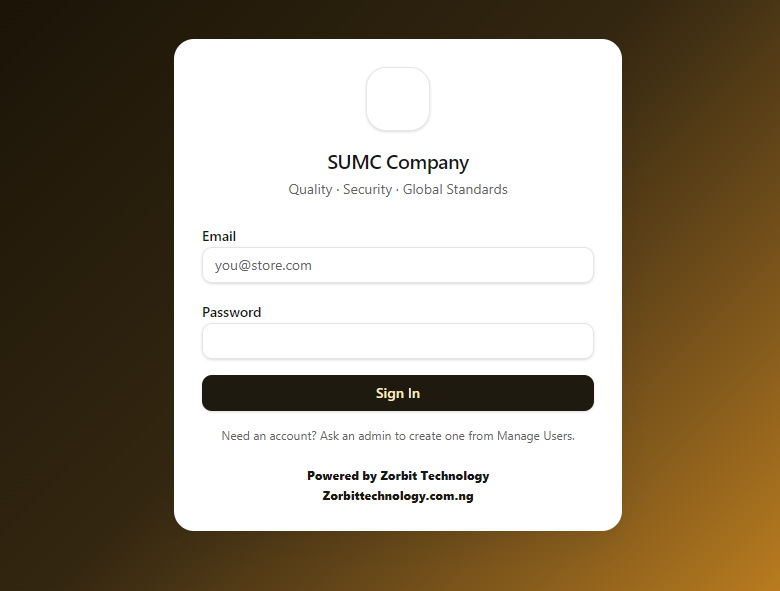
Screen 1 of 9
Secure sign-in
Every person signs in with their own account. Accounts are created by the owner from Manage Users, so only people he approves can open the system, and every action is tied to a name.
Alhaji Usman runs a security doors and wallpaper shop in Panteka, Kaduna. Stock, sales and customer debts were kept on paper. Today he opens one desktop app and sees what is in the shop, what sold, what profit was made and who still owes him money, with no internet needed.
A busy shop with high-value stock.
Alhaji Usman's shop in Panteka, Kaduna sells security doors and wallpaper. Doors are not small purchases: in the system's catalogue, prices run from ₦58,000 for a steel door up to ₦250,000 for a double door. Every unit that is miscounted, mispriced or sold on credit and forgotten is real money.
Until now the business ran on manual paper records for stock, sales and what customers owed. Paper depends on memory and on every entry being written correctly, and the more products, customers and staff are involved, the harder that becomes to guarantee.
I set the design goals from the start: a tool the team can learn in a day, that works without internet or a monthly subscription, and that lets the owner see the whole business on one screen instead of piecing it together from paper.
Paper records fail quietly, and the owner pays for it.
Paper is cheap and familiar, which is exactly why businesses stay with it long after it has stopped working. The trouble is that its failures are silent. A wrong total, a missing line or an unrecorded debt does not announce itself. It shows up weeks later as money that cannot be explained.
To know how many of a particular door are left, someone has to count or add up pages of entries. Deliveries and sales written late or not at all mean the book and the shelf slowly stop matching.
Totals worked out by hand on every sale invite small mistakes. On items costing tens or hundreds of thousands of naira, one slip can cost more than a day's profit.
Credit sales are the lifeblood of building supplies and also the easiest money to lose. A debt book makes it hard to see the total owed, how old each balance is, or what has been part-paid.
Sales are easy to see on paper. Profit needs the cost of every item compared with its selling price. Few paper systems do this, so the owner knows how much came in but not how much he actually made.
Anyone can write in a book, in any handwriting, and entries can be changed. The cost price of every product is visible to whoever holds the book, and it is hard to tell which staff member made which sale.
A monthly summary means hours of adding up. Best sellers, slow movers and trends stay hidden, so restocking is done by habit instead of by evidence.
A single physical book can be damaged by water, lost, misplaced or altered. If it goes missing, so does the memory of the business.
The hardest cost is not on any page: the owner cannot step away without wondering what is being written, what is being missed and what is being forgotten.
The same daily jobs, done two ways.
| Everyday job | On paper | With the inventory system |
|---|---|---|
| Knowing what is in stock | Count by hand or flip through pages and trust the last tally | Live quantity on every product, with an alert when an item reaches its reorder level |
| Working out a sale | Totals added up by hand on every sale | Totals and balances calculated automatically; price adjustable per sale |
| Money owed by customers | Debts in a notebook and in the owner's memory | A debtor list showing amount paid, amount outstanding and who made the sale |
| Knowing the profit | Needs cost and selling price compared by hand, so it is rarely known | Estimated profit or loss on the dashboard, and profit by product in reports |
| Staff accountability | Entries in anyone's handwriting, hard to check, and cost prices visible to whoever holds the book | Every sale tied to a staff account; sales by staff; cost prices hidden from staff |
| Finding a record | Turning pages and hoping the entry was written | Search products by name, brand or SKU and customers by name, phone or email |
| Reports | Hours of adding up at month end, if done at all | Reports for any date range, daily or monthly trends, exports to CSV |
| Returns and corrections | Crossed-out lines and notes in the margin | Returns recorded with reasons, and net revenue and profit shown after returns |
| Risk to the records | One physical book that can be damaged, lost or altered | Typed, searchable records inside the system instead of a single fragile book |
| Deciding what to reorder | Guesswork and habit | Best sellers and the low-stock list show what to buy next |
Everything the business did on paper, in one place.
I designed and built a desktop application that installs on the shop's own Windows computer and keeps all of its data in a local database. There is no subscription, no cloud account to manage and no internet needed to make a sale. The screens follow the way the shop actually works: record a sale, receive stock, check what a customer owes, read the day's numbers.
Sales, receivables, low-stock items, stock value and estimated profit or loss for the day on one screen.
A visual catalogue with price, cost (admin only), category and stock for every door, searchable by name, brand or SKU.
Pick a product, set the price, record the amount paid. The system works out the balance due and updates stock instantly.
Each category collects the right details for that type of product, and new lines such as wallpaper can be added.
Stock arriving from suppliers is recorded and added to inventory automatically, with a full history.
See who owes what, how much has been paid, and mark balances paid as customers settle them.
Returns are recorded with reasons and reflected in net revenue and profit, and sales keep a receipt trail.
Any date range, daily or monthly trends, revenue by category, profit by product and receivables aging, exportable to CSV.
The owner controls accounts. Staff can sell and look up stock without seeing cost prices.
A walk through the main screens.
Every person signs in with their own account. Accounts are created by the owner from Manage Users, so only people he approves can open the system, and every action is tied to a name.
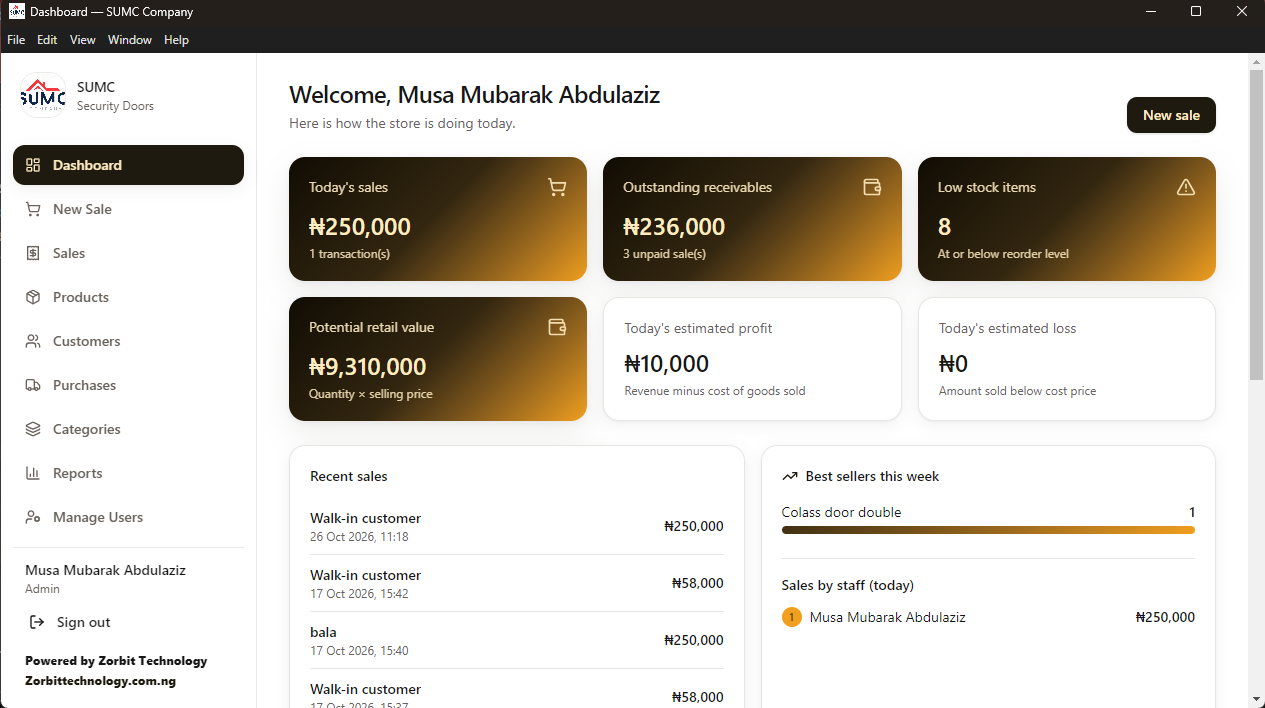
Today's sales, outstanding receivables, low-stock items, the value of the stock on the shelf and estimated profit or loss for the day, with recent sales, best sellers this week and sales by staff member underneath. This is the screen the owner opens first.
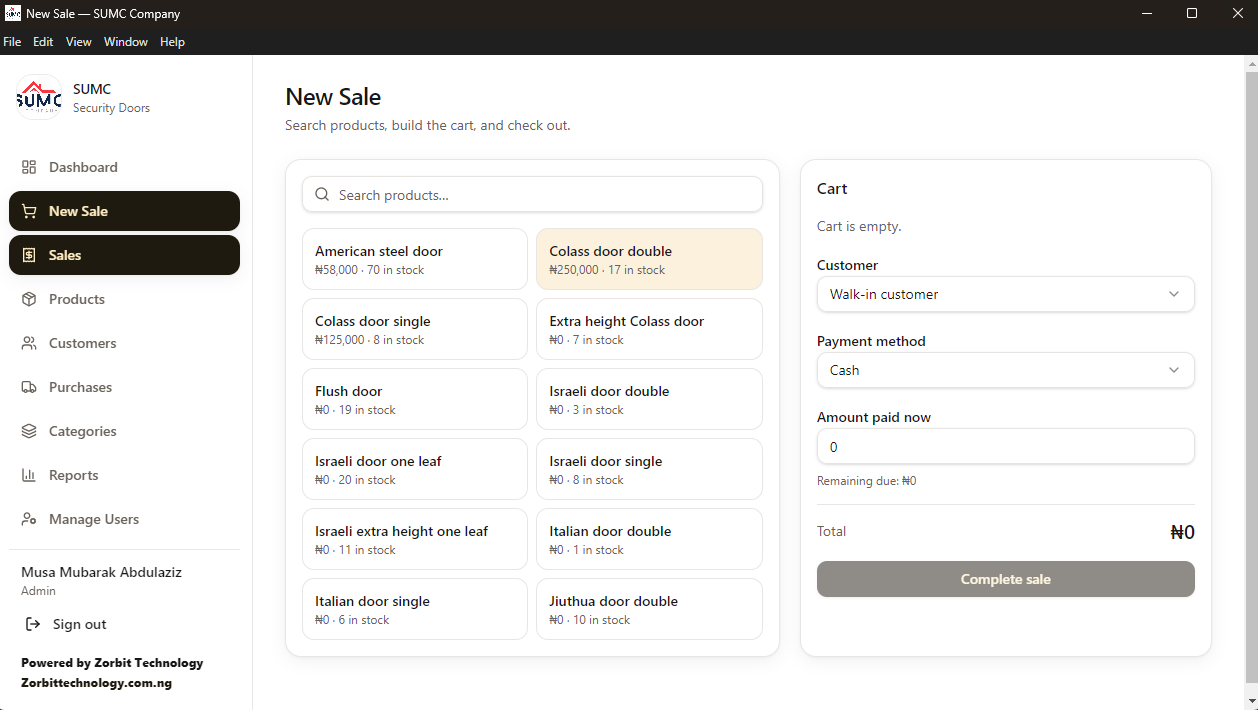
Search the catalogue, build the cart, choose the customer and payment method and enter the amount paid. The total and the balance due are worked out automatically, and stock drops the moment the sale is completed.
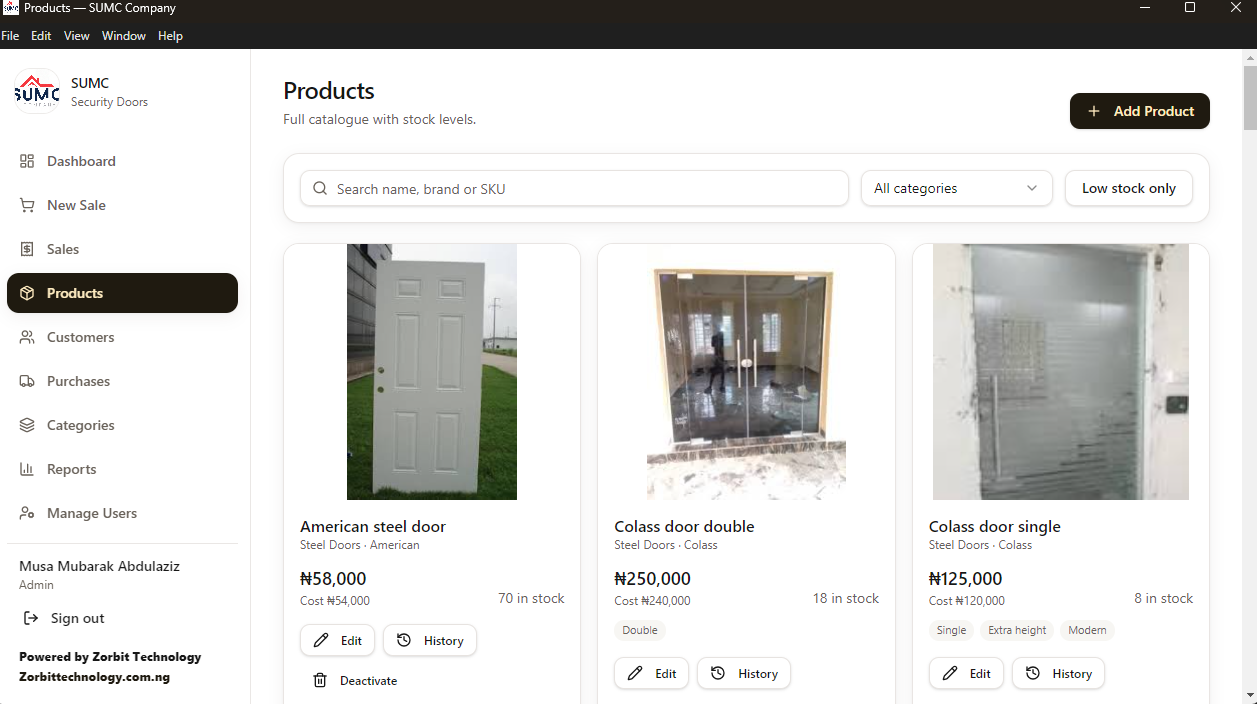
Each door has its photo, selling price, cost price (visible to the admin only), category and quantity in stock. Search by name, brand or SKU, or filter to show only items running low.
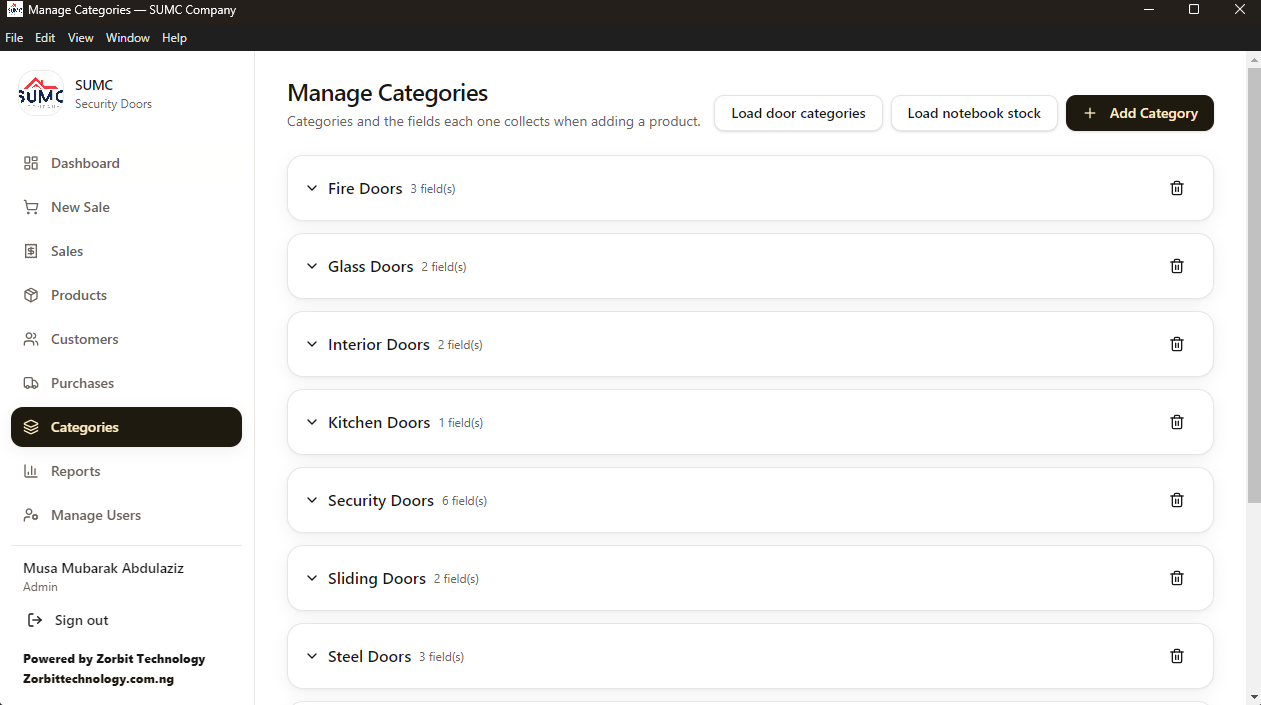
Fire, glass, interior, kitchen, security, sliding and steel doors, each collecting the details that matter for that type, such as size, height or style. New categories can be added for other product lines, so wallpaper can be tracked beside the doors.
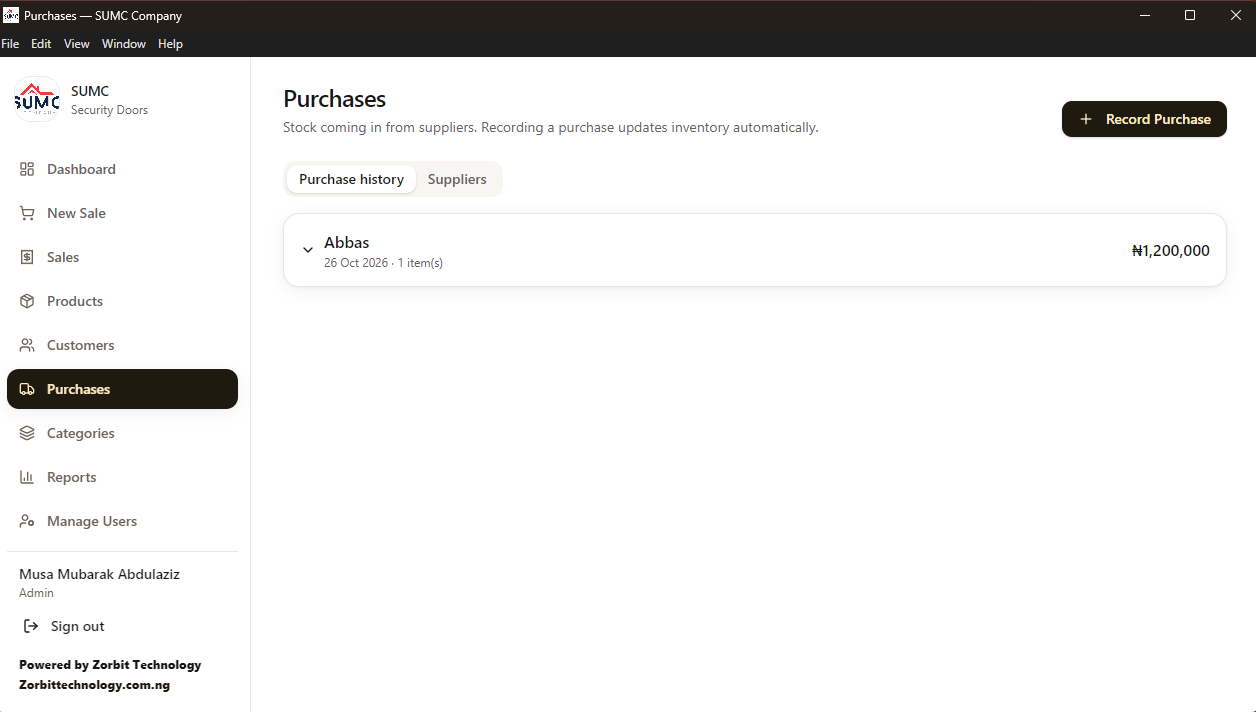
When stock arrives, the purchase is recorded against the supplier and the quantities are added to inventory in the same step. A full purchase history and a supplier list are kept.
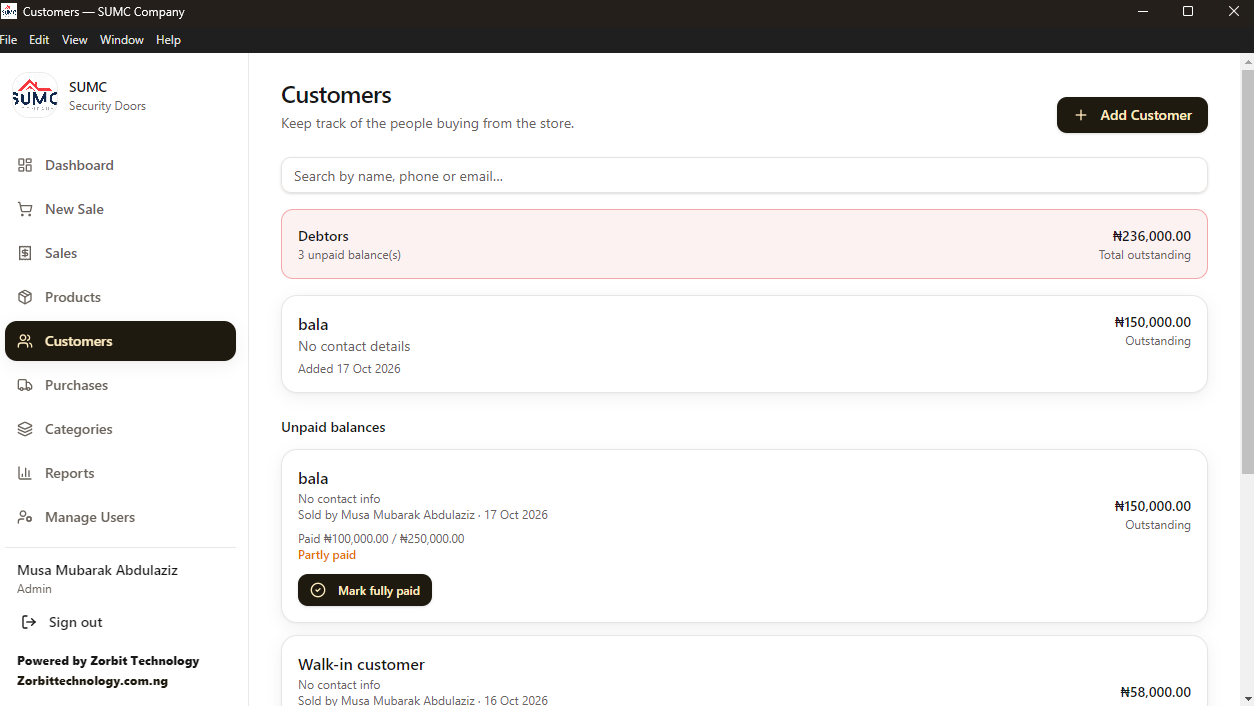
The handwritten debt book became a live list: who owes what, how much has been paid, who made the sale and when, with one click to mark a balance fully paid once the customer settles it.
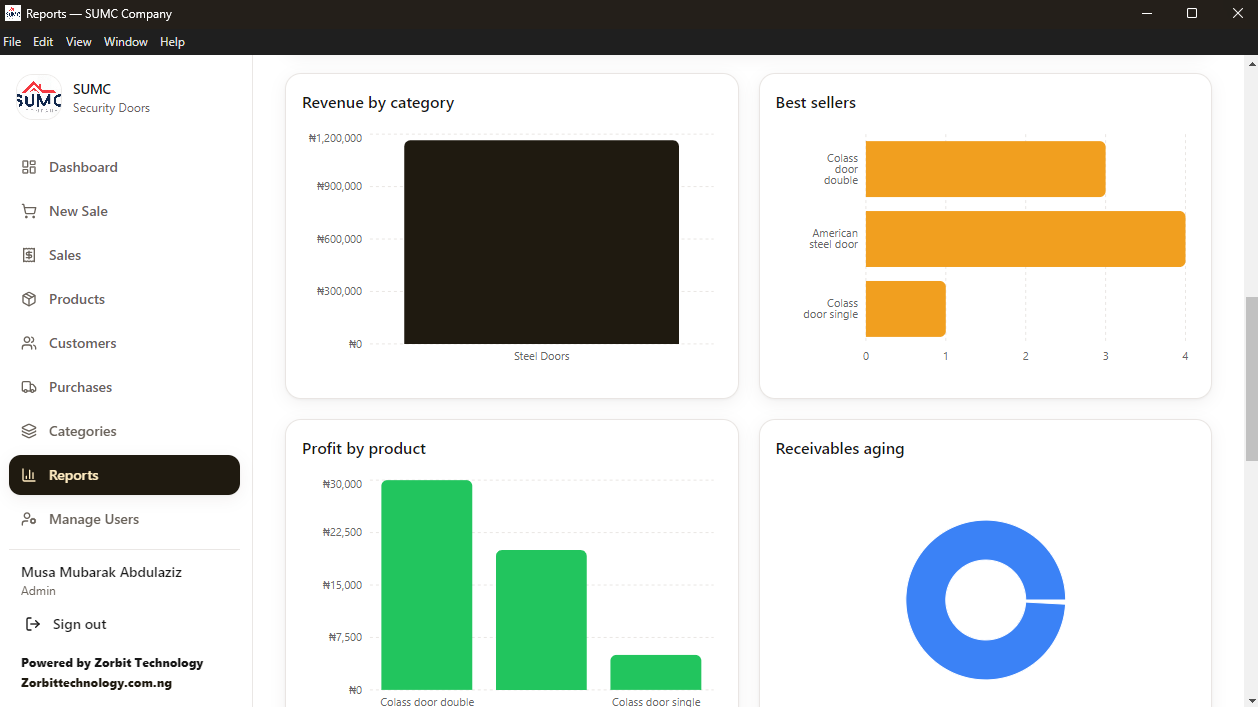
Revenue by category, best sellers, profit by product and receivables aging for any date range, plus returns and the reasons for them. Sales, returns and aging can be exported to CSV for Excel.
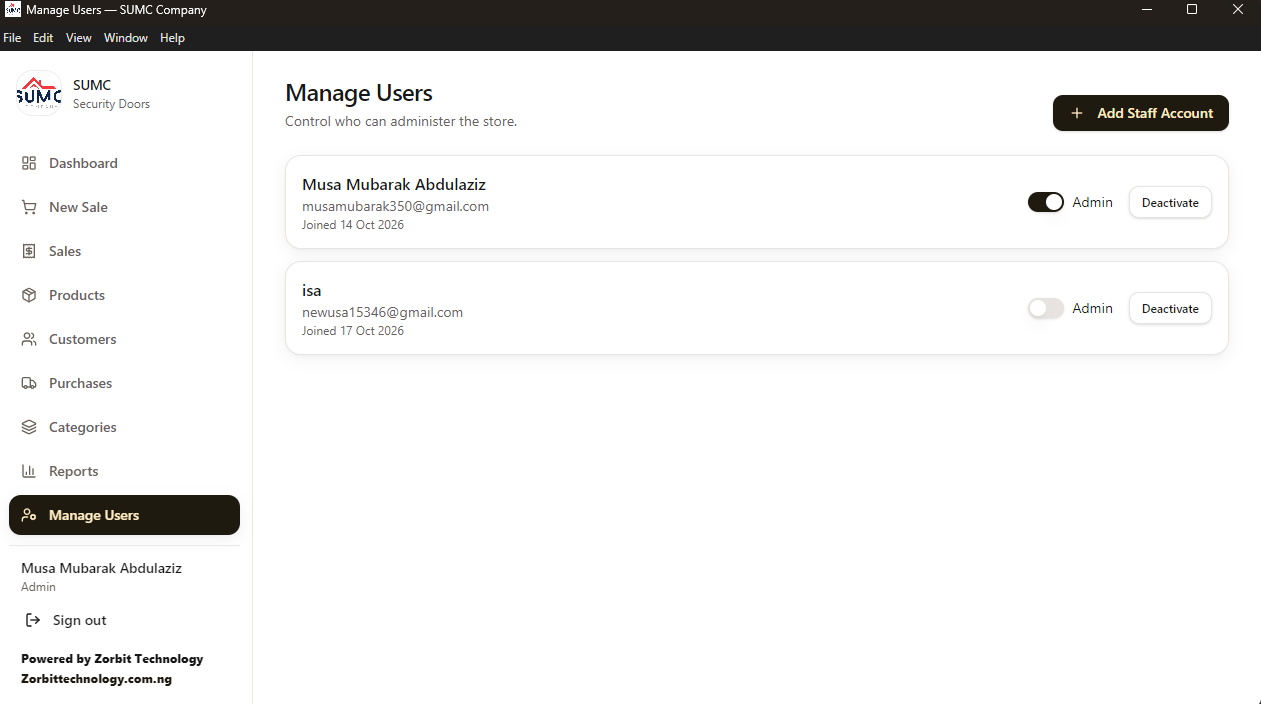
The admin adds staff accounts, promotes or deactivates users and controls who can administer the store.
How the daily routine changed.
Before the first customer arrives, the owner sees yesterday's activity, what is outstanding and which doors are running low. No books are opened.
Staff search the product, add it to the cart, choose the customer and payment method and enter the amount paid. The total and any balance are calculated and stock reduces automatically.
If the customer pays part now, the rest is recorded as an unpaid balance against their name, ready to be collected and marked paid later.
When a delivery arrives, it is recorded as a purchase from the supplier and the quantities go straight into inventory.
The dashboard shows the day's sales, estimated profit and sales by staff member. The owner knows how the day went in seconds, not after an evening of adding up.
Reports show best sellers, profit by product and ageing debts, so reordering and collections are based on evidence.
Features matter, but the real change is how it feels to own the business.
Stock is a number on the screen that moves with every sale and delivery, not a figure someone remembers or a count that takes a day.
Every unpaid balance has a name, an amount and a date. Money owed stops being a worry at the back of the mind.
Estimated profit and loss are shown for the day, and profit by product shows which doors actually earn their place on the shelf.
Each sale is linked to the person who made it. Staff sign in with their own accounts and do not see cost prices.
The system runs on the shop's own computer. No network, no data bundle, no waiting for a website to load and no sale lost to a bad connection.
There is no cloud subscription and no outside company holding the shop's numbers. The data stays in the shop.
The goal was simple: the owner can leave the counter and still know exactly how the business is doing.
Built around the realities of a small business in Nigeria.
Unreliable internet is part of everyday life, so the app never depends on it. Everything is stored in a local database on the shop's computer.
The first account created becomes the admin. The admin adds staff accounts and controls who can administer the store. Sensitive information such as cost prices is hidden from staff, and checks are enforced in the application's back end, not just hidden on screen.
Passwords are stored only as hashes and never as readable text. The owner can deactivate an account instantly.
Sales reduce stock and purchases increase it automatically, so the numbers on screen match the shelf without anyone counting.
Doors, wallpaper and any future product line need different details. Categories define what is collected for each, so data stays consistent without forcing every product into one form.
A clear sidebar, large buttons and plain language follow the shop's routine, so staff do not need training in software.
I build inventory, sales and reporting tools that fit how your business really works.
Start a conversation See more projects